YINOCHE Y8 Tablet for kids
The 7-inch quad-core tablet runs Android 11.0 with 2GB RAM and 32GB storage, expandable to 512GB, plus a 3500mAh battery for up to 10 hours of use. It comes pre-loaded with GMS-certified IWAWA Kids Apps, parental controls, and dual cameras (0.3MP front, 2.0MP rear) for video calls. Best for parents of kids aged 3-14 who want a safe, budget-friendly learning device with offline educational content.

No current retailer price








Snapshot
The 30-Second Version
The Chikalo Y8 is a $44 kids tablet that's cheap enough to be disposable, with parental controls and pre-loaded educational apps that make setup painless. Performance is below average across the board, with a sluggish quad-core CPU, 2GB of RAM, and a dated 1024x600 screen. Battery life is fine for short trips but won't last a full day. Buy it for a toddler if you're on a tight budget, but look elsewhere for older kids or if you're paying European prices.
Pros & Cons
Pros
- Dirt cheap at $44 USD, with affordability in the 96th percentile 97th
- GMS-certified IWAWA kids apps come pre-loaded, so setup is quick
- Expandable storage up to 512GB via microSD
- Parental controls with screen time limits and app filtering
- Dual cameras for video calls with family, plus a kid-friendly bumper case
Cons
- CPU and GPU both rank in the low 30s percentile, so performance is sluggish
- Battery life is below average and the listing contradicts itself on real-world numbers
- Screen resolution of 1024x600 is dated and sits in the 30th percentile
- Connectivity is a real weak spot at the 9th percentile, with no cellular option
- Feature set is bare bones, ranking in the 8th percentile overall
The proof
Performance
Let's talk about what the numbers actually mean. The quad-core processor sits in the 35th percentile of our database, which is polite way of saying it's on the slow side. For context, that's below average even among budget tablets. The GPU is right there with it at the 33rd percentile. What does that mean for a kid? Apps will open, but not quickly. Games will run, but don't expect smooth frame rates on anything more demanding than a match-three puzzle. Streaming video should be okay once it's loaded, but you'll see stutters when switching apps or pulling up the keyboard.
The 2GB of RAM lands at the 31st percentile. That's enough to keep one or two apps alive in the background, but don't expect to jump between a game, a video call, and a drawing app without things reloading. The 32GB of storage is also in the 30th percentile, which is workable for kids apps and a few downloaded movies, but you'll want a microSD card if your kid likes to record videos. The 3500mAh battery is another below-average spec at the 32nd percentile. Real-world, you're looking at maybe 4 to 6 hours of mixed use, less if they're watching video the whole time. That's enough for a car trip, but not a full day of travel without a charger.
vs Competition
The obvious comparison is the Apple iPad 8th Generation, but that's a bit like comparing a tricycle to a motorcycle. The iPad costs several times more, has a vastly better screen, a much faster processor, and an app ecosystem that's actually pleasant to use. If you have the budget and want a tablet that'll last your kid from age 5 to 12, the iPad is the better long-term play. The Chikalo Y8 is a stopgap. It's the tablet you buy when you're not sure your kid will take care of it, or when you need something cheap for a specific trip.
Against other budget Android kids tablets like the Raemond M70 K70, SKYEGG K15, MENTUME K80 K70, and Aobante 10.1, the Chikalo Y8 holds its own on price but falls behind on specs. The Aobante 10.1 has a bigger screen, which matters for kids watching videos. The Raemond and MENTUME models tend to offer similar internals but sometimes include better accessories or slightly faster processors. The Chikalo's main differentiator is the IWAWA kids app suite and the mushroom case design, which some kids will love and others won't care about. If you're cross-shopping these, look for the one with the best return policy and the most consistent spec sheet, because they're all cut from the same cloth.
| Spec | YINOCHE Y8 Tablet for kids | Apple iPad Pro 13" M5 | Microsoft Surface Pro 11 13" | Samsung Galaxy Tab 12.4" S10+ | Lenovo Yoga Tab Plus 12.7" ZAEG0096US | Xiaomi Pad 7 11.2" 2AFZZCRP4CG |
|---|---|---|---|---|---|---|
| CPU | - | Apple M5 | Qualcomm Snapdragon X Elite X1E-84-100 | MediaTek Dimensity 9300+ | QTI SM8650 | Snapdragon 7+ Gen 3 |
| RAM (GB) | - | 16 | 16 | 12 | 16 | 8 |
| Storage (GB) | - | 1024 | 1024 | 512 | 256 | 256 |
| Screen | - | 13" 2752x2064 | 13" 2880x1920 | 12.4" 2800x1752 | 12.7" 2944x1840 | 11.2" 3200x2136 |
| OS | - | iPadOS | Windows 11 Home | Android 14 | Android 14 | Android 14 |
| Stylus | false | true | true | true | true | true |
| Cellular | false | true | false | false | false | false |
| Battery (Wh) | - | 39 | 53 | - | - | - |
| Compare | Compare | Compare | Compare | Compare |
| Product | CPU | GPU | RAM | Screen | Battery | Feature | Storage | Connectivity | Affordability | Water Resistance |
|---|---|---|---|---|---|---|---|---|---|---|
| YINOCHE Y8 Tablet for kids | 37.9 | 36.4 | 31 | 41.9 | 32 | 7.4 | 30.1 | 8.5 | 96.8 | 46.5 |
| Apple iPad Pro 13" M5 Compare | 99.1 | 99.4 | 92.4 | 99.7 | 97.6 | 96.5 | 97.7 | 99.2 | 1.7 | 46.5 |
| Microsoft Surface Pro 11 13" Compare | 98.5 | 96.6 | 92.4 | 99.1 | 99.6 | 74.3 | 97.7 | 92.7 | 5.4 | 97.3 |
| Samsung Galaxy Tab 12.4" S10+ Compare | 82.1 | 79 | 80.8 | 95.3 | 87.9 | 96.5 | 92.9 | 76.9 | 8.5 | 97.3 |
| Lenovo Yoga Tab Plus 12.7" ZAEG0096US Compare | 84 | 82.1 | 92.4 | 96.4 | 88.7 | 96.5 | 83.7 | 92.7 | 21.7 | 46.5 |
| Xiaomi Pad 7 11.2" 2AFZZCRP4CG Compare | 86.3 | 83.9 | 65.8 | 98 | 85.2 | 60.8 | 83.7 | 76.9 | 33.8 | 46.5 |
Price
Value & Pricing
At $44 USD, the Chikalo Y8 is one of the cheapest kids tablets you can buy. The affordability score puts it in the 96th percentile, which means almost nothing else in our database undercuts it. That's the whole story here. You're paying for a screen, a battery, and a kid-proof case, and that's about it. The EUR 108 listing in Italy and GBP 65 in the UK tell a different story though. At those prices, this thing stops being a bargain and starts competing with refurbished Amazon Fire tablets, which have better screens, better performance, and a more polished kids ecosystem.
The value calculation really depends on where you're buying it. If you're in the US and can grab it for $44, it's a low-risk purchase. If it breaks, you're not out much. If your kid loses interest after a month, no big deal. But if you're paying European prices, you should seriously consider spending a bit more on something with a better screen and a faster processor. The INR 7,272 price in India also feels steep for what you get, especially when budget Android tablets from local brands offer more RAM and better displays for similar money.
Read more
Overview
The Chikalo Y8 is one of those products that makes you squint at the spec sheet and wonder what year it's from. A 7-inch kids tablet running Android, with a quad-core processor, 2GB of RAM, and 32GB of storage. On paper, that's a budget phone from 2016. In practice, it's a $44 tablet aimed at keeping a 5-year-old occupied on a long car ride. And honestly, for that specific job, it might be fine. But you need to know exactly what you're getting into before you click buy.
The pitch is straightforward: a kid-safe Android tablet with parental controls, pre-loaded educational apps, and a chunky mushroom-shaped bumper case. It's aimed at kids aged 3 to 14, though I'd argue the sweet spot is really 3 to 7. The IWAWA kids app ecosystem is GMS-certified, which means it plays nice with Google services, and you can install stuff like Netflix, YouTube Kids, and ABC Mouse from the Play Store. That's a real plus at this price.
What's interesting here is the honesty of the listing. The description mentions both 2GB and 1GB of RAM in different places, and the battery life claims swing from 10 hours in the highlights to 6-7 hours of reading or 4 hours of video in the fine print. That kind of inconsistency is a yellow flag, but it also tells you this is a generic white-label tablet with a cute case slapped on it. You're not buying a premium device. You're buying a screen that plays cartoons and doesn't cost much to replace when it gets dropped in a bowl of cereal.
Common Questions
Q: How long does the battery actually last?
The listing is inconsistent here. The highlights claim up to 10 hours, but the detailed specs say 6-7 hours of reading or 4 hours of video playback. Based on the 3500mAh capacity and the below-average battery ranking in our database, you should expect around 4 to 6 hours of mixed use. For a long car ride or a flight, that's workable, but bring a charger or a power bank for all-day use.
Q: Can my kid watch Netflix and YouTube on this?
Yes. The tablet is GMS-certified, which means it has access to the Google Play Store. You can download Netflix, YouTube Kids, ABC Mouse, Amazon Prime Video, Duolingo, and other popular apps. Just keep in mind that the 1024x600 screen resolution is on the low side, so video won't look as sharp as it does on a phone or a higher-end tablet. It's fine for cartoons, but not great for anything with small text.
Q: Is this tablet durable enough for a toddler?
The Chikalo Y8 comes with a kid-friendly bumper case, which helps with drops and bumps. The water resistance score is middle of the pack at the 47th percentile, so it's not waterproof, but it should survive minor spills if you wipe it down quickly. For a 3-year-old who throws things, the case is your main line of defense. It's not ruggedized like some dedicated kids tablets, but at this price, the case does a decent job.
Q: How much storage do I actually get?
You get 32GB of built-in storage, which is below average for tablets in our database. After the operating system and pre-loaded apps, you'll probably have around 20GB of usable space. That's enough for a handful of games, some educational apps, and a few downloaded movies. If your kid likes to record videos or take photos, you'll want to add a microSD card. The tablet supports expansion up to 512GB, which is a nice touch at this price.
Who Should Skip This
If your kid is over 7, skip this. The low-resolution screen and sluggish processor will feel ancient compared to even a budget smartphone, and older kids will notice. They'll get frustrated with slow app launches, stuttery video, and the cramped 7-inch display. If they're into games like Minecraft or Roblox, this tablet will struggle. Look at a refurbished iPad or a Fire HD 8 Kids Edition instead. Both cost more, but they'll actually keep up with what an older kid wants to do.
Also skip this if you're buying outside the US at the listed European or Indian prices. At EUR 108 or INR 7,272, the Chikalo Y8 is no longer a bargain. You're paying mid-range money for entry-level specs. In those markets, you can find better options from local brands or refurbished tablets that offer more RAM, better screens, and faster processors for similar money. The whole appeal of this tablet is the $44 price tag. Take that away, and there's not much left to recommend.
Verdict
If you need a cheap tablet for a young kid and you're paying around $44 USD, the Chikalo Y8 is a reasonable buy. It'll run educational apps, stream cartoons, and survive a few drops thanks to the bumper case. The parental controls are genuinely useful, and the pre-loaded IWAWA apps mean you don't have to spend an afternoon setting everything up. Just keep your expectations in check. This is not a fast tablet, and it's not going to age well as your kid gets older and wants to play more demanding games.
For kids 7 and up, or for anyone who plans to use this as a primary device for schoolwork or creative apps, I'd steer you elsewhere. The low screen resolution, sluggish processor, and limited RAM will frustrate a kid who's used to a parent's phone or a school Chromebook. If you can stretch your budget, a refurbished iPad or a Fire HD 8 Kids Edition will give you a much better experience and better longevity. The Chikalo Y8 is a fine first tablet for a toddler, but it's not a device that grows with your child.
Usage Scores
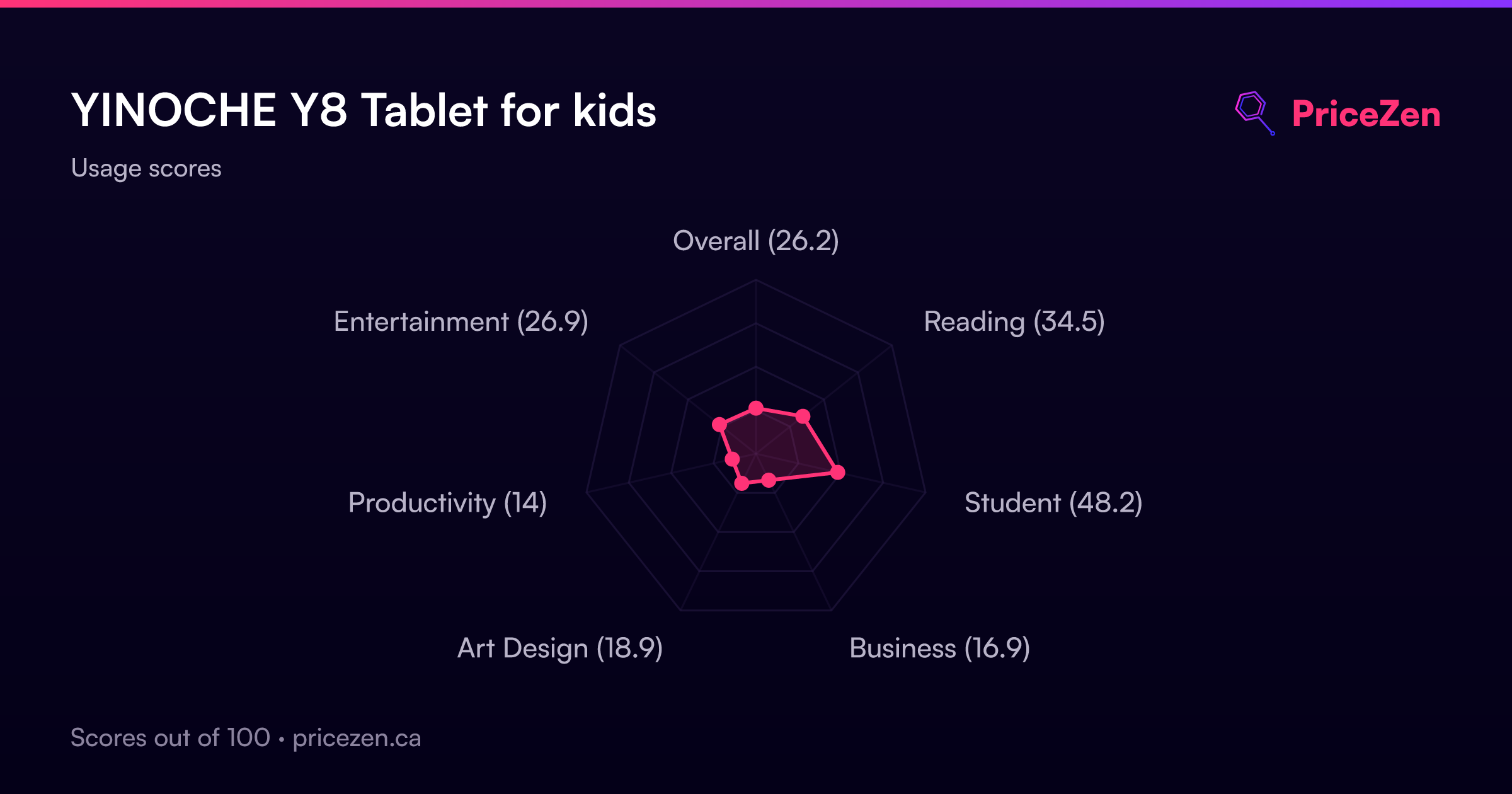
- Overall26.2
- Reading34.5
- Student48.2
- Business16.9
- Art Design18.9
- Productivity14
- Entertainment26.9